How to Clean a Toaster Safely: Crumbs, Tray and Exterior
Quick answer
Unplug the toaster and let it cool completely. Use its manual’s crumb-removal method—many models use a removable tray—then wipe the exterior with a lightly damp cloth and dry it fully. Never put water or a metal tool into the slots.
A toaster needs less cleaning than an oven, but it needs the right kind. Bread crumbs collect below the slots and can scorch the next time you make breakfast. The U.S. Fire Administration notes that crumbs in a toaster can catch fire. The safe response is simple: remove loose crumbs without adding water or putting anything into the appliance.
This guide is for a pop-up bread toaster, not a toaster oven or air fryer. Your model’s manual is the final word on its tray, exterior finish and any user-serviceable parts.
What you need
Bring a bin or sink, a dry soft brush for the outside only, a soft cloth and a second dry cloth. Do not use a fork, knife, chopstick, metal skewer, abrasive pad or aerosol cleaner. You should not need them.
1. Unplug it and let it cool
Turn the toaster off, unplug it from the wall and wait until the housing and slots are fully cool. Hamilton Beach’s toaster instructions say to unplug when it is not in use; that is especially important before cleaning.
Do not clean around a damaged cord, loose plug, smoke, sparking or a smell that seems electrical rather than like toasted crumbs. Stop using the appliance in those cases.
2. Move it to a clear, dry work area
Set the cooled toaster on a stable counter away from the sink. Give yourself space to turn it over without knocking it into water or other appliances. Put the bin nearby so crumbs have somewhere to go.
A dry workspace matters. Liquid can enter through the slots, lever opening and seams even when the outside looks sealed.
3. Remove the crumb tray if your model has one
Many pop-up toasters have a shallow tray at the bottom or back. Pull it out gently in the direction the manual shows. Do not force a panel that does not move: some models have a fixed tray or a different release.
Hold the tray over the bin and empty it. Wipe it with a dry cloth first. If the manual permits washing the tray, wash it separately, then let it dry completely before it returns to the toaster. Never put a damp tray back into the appliance.
4. Release loose crumbs from the toaster body
Do not assume that turning the toaster upside down is safe: the Hamilton Beach manual cited here specifically says not to do that for its models. Use the crumb-removal direction in your own manual instead. For that manual, the route is to gently tap the sides and empty the slide-out tray.
Look through the slots only from above. It is normal for a few tiny crumbs to remain. The goal is to remove loose material by the manufacturer’s method, not to scrape every surface inside an electrical appliance.
5. Do not poke into the slots
This is the most useful rule. Never put a fork, knife or another metal object into the slots. A tool can bend heating elements, damage insulation or leave a future fault behind.
If a slice is stuck, leave the toaster unplugged and cool, then consult the model manual for its release method. The Hamilton Beach manual allows a nonmetal utensil for its specified extra-wide slots only; that is not permission for other models. If your manual does not give a safe route, do not improvise. Service or replacement is safer than forcing it.
6. Wipe the exterior carefully
Use a soft cloth that is only lightly damp—not wet—to wipe fingerprints and flour dust from the sides, top edge, lever and base. Put no cleaner directly on the toaster. Keep moisture away from slots, seams, controls and the cord entry.
Hamilton Beach advises wiping the exterior with a damp cloth and avoiding abrasive cleansers. Follow that conservative approach: harsh powders, steel wool and scouring pads can scratch finishes and leave residue near openings.
7. Dry every surface
Follow the damp cloth with a dry one. Check the crumb tray and the outside of the housing. Leave the toaster unplugged until you are confident no moisture remains around the controls or openings.
This is also a good moment to wipe the counter beneath the appliance. Crumbs that sit behind a toaster attract pests and make the next clean more unpleasant.
8. Refit the tray and check the surroundings
Slide the fully dry tray back into place. It should sit flat without force. Put the toaster back where it has clear space around it and where its cord will not run under another appliance or across a hot surface.
Before the next use, make sure the lever moves freely and nothing is resting on top of the slots.
9. Clean crumbs early, not after they burn
There is no universal calendar for every toaster. A practical routine is to empty a visibly full tray and do a quick check whenever you wipe the kitchen counters. Clean sooner if you toast crumbly bread, bagels or pastries often.
The U.S. Fire Administration’s advice is direct: keep cooking equipment clean, because toaster crumbs can catch fire. Regular small cleanups are more useful than waiting for a smell or smoke.
10. Know when cleaning is not the fix
Cleaning cannot repair a frayed cord, a cracked housing, a lever that sticks, repeated tripping, sparks or smoke. Unplug the toaster and stop using it if any of those occur. Do not test it repeatedly to see whether the problem goes away.
Choose the method your toaster supports
This is a decision aid based on the cited Hamilton Beach manual and USFA fire-prevention guidance, not a universal cleaning instruction. A toaster oven, air fryer or a pop-up toaster without a removable tray needs its own manual.
| What you find | Safe next action | Do not do |
|---|---|---|
| A model with a removable crumb tray | Unplug, cool, remove and empty it exactly as the manual directs | Assume every tray can be washed or every toaster can be inverted |
| Loose crumbs but no clear manual instruction | Check the model manual before moving or tapping the appliance | Probe the slots or force a panel |
| Bread stuck in a slot | Unplug and cool; use only the release method the manual names | Insert a fork, knife or other metal utensil |
| A damaged cord, sparks, smoke, repeated tripping or an electrical smell | Stop using it; use the manufacturer’s service route or replace it | Run another toast cycle to test it |
For ordinary kitchen cleanup beyond the toaster, see how to clean a microwave or how to clean a coffee maker. If you are setting up a simple weekly reset, organizing a small kitchen can help keep frequently used appliances accessible and the counter easier to wipe.
A two-minute toaster reset
- Unplug and cool it.
- Follow the manual’s crumb-removal method.
- Wipe the exterior with a lightly damp cloth.
- Dry it, refit any tray and leave the slots clear.
That is enough for most routine care. Keep the method boring and dry; it is safer than trying to make the inside spotless.
Sources
- Hamilton Beach toaster use and care manual
- U.S. Fire Administration: Cooking Fire Safety Pictographs
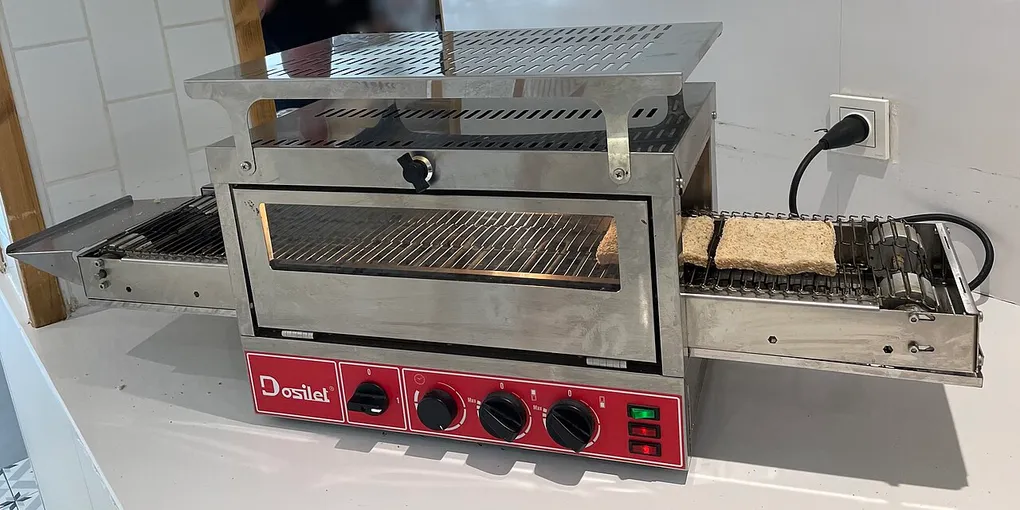
Hero image: Photograph: SusKauz, Frankfurt am Main, CC BY-SA 4.0, via Wikimedia Commons.
Sources
Frequently Asked Questions
How often should I clean a toaster?
Empty visible crumbs whenever they collect and make it part of your regular kitchen reset. The right interval depends on use and the model; follow its manual, especially for the crumb tray.
Can I wash a toaster with water?
No. Do not immerse a toaster or pour water into its slots. Wipe only the exterior with a lightly damp cloth while it is unplugged, and make sure it is fully dry before using it again.
How do I get stuck bread out of a toaster?
Unplug it and let it cool first. Use the manufacturer’s stated method; do not reach inside with a fork, knife or other metal object. If the bread will not release safely, stop and arrange service or replace the appliance.
Why does my toaster smell burnt after cleaning?
A few remaining crumbs can continue to toast and smell. Unplug and cool the appliance, then repeat the tray and upside-down crumb-removal steps. Stop using it if smoke, sparking, a damaged cord or a persistent electrical smell occurs.


.jpg)