Quick answer
To read a gas meter, first confirm that the meter belongs to your home, then identify whether its register is metric, imperial, digital, dial, or smart. Record the main digits from left to right, include leading zeros, and usually ignore red or decimal digits. Save the reading with the date and unit, then submit it through your supplier’s official channel. Never open the casing or touch gas fittings.
Reading a gas meter is a recording task, not a gas-appliance repair. The useful routine is short: identify the correct meter, identify the correct register, write down the main reading with its unit and date, and submit it through the supplier’s official channel. You should not remove a cover, touch pipework, break a seal, or change a setting to make the display easier to read.
Before you read: confirm the meter and stay outside the casing
In a block of flats, shared utility room, or property with more than one meter, compare the meter serial number with your bill or supplier account before copying any digits. A perfectly legible reading from the wrong meter is still wrong. If you cannot reach the meter safely, ask the supplier or building manager about access support.
Use the normal display, button, or viewing window only. If the casing is damaged, you smell gas, see water near the equipment, or suspect tampering, move away and follow your supplier’s emergency instructions. Reading a meter does not require testing a valve, opening a panel, or touching a pipe.
Write down the date and the unit shown on the meter or bill. A note such as 19 September — 00544 m³ is more useful than a bare number because it preserves leading zeros, the measurement unit, and the point in time.
Identify the meter type
Use the visual match below to choose the reading method. Labels and screen sequences vary by country, supplier, and model, so this is a decision aid rather than a substitute for the model-specific instructions.
| What you see | What you normally record | Common mistake |
|---|---|---|
| Digital display with m³ or ft³ | Main whole-unit digits from the gas register | Copying decimal or red digits that the supplier excludes |
| Row of moving dials | Main dials from left to right | Reading every dial in the same direction |
| Smart meter with a cycling screen | The screen labelled gas usage, volume, or the supplier’s named register | Assuming the first screen is the reading |
| Prepayment display | The register or balance requested by the supplier | Sending credit, debt, or balance instead of usage |
Citizens Advice separates metric digital, imperial digital, and dial gas meters, while GOV.UK explains that gas may be measured in cubic metres or cubic feet even though bills often show kilowatt-hours. Confirm the unit before comparing numbers across bills.
Read a digital metric gas meter
A metric digital meter commonly shows five main numbers before a decimal point, often followed by red or fractional digits. Record the main whole-unit digits from left to right and keep any leading zeros. For example, a display of 00544.7 may be recorded as 00544 m³ when the supplier’s instructions say to ignore the fractional part.
Do not assume that every screen on a smart or digital meter is the gas register. The display may cycle through the meter serial number, time, tariff, balance, or other information. Look for the unit or label requested by the supplier. If the display is unfamiliar, photograph it without opening anything and ask the supplier which screen to submit.
Read an imperial digital meter
An imperial meter records cubic feet, and its main register often has four whole-unit digits followed by red or fractional digits. Record the main digits from left to right, including zeros, and normally leave out the red or fractional part when the supplier’s guide says to do so. Do not convert an imperial reading into metric units just because the bill uses a different unit; the supplier’s bill and meter instructions define the conversion.
GOV.UK describes the broader billing process: the difference between two readings gives the volume used, then supplier-specific conversion factors and the gas calorific value are used before the result is expressed in kWh. That is why a meter reading and a bill’s kWh figure are not interchangeable numbers.
Read a dial gas meter without guessing
Dial meters are the part most likely to produce a wrong submission. Read the main dials from left to right. Adjacent dials can turn in opposite directions, so use the numbers and the pointer positions rather than assuming all hands move clockwise.
- Ignore large auxiliary dials, red dials, or fractional dials when the supplier’s instructions exclude them.
- If a hand is between two numbers, write down the lower number. Between 4 and 5 means 4; between 9 and 0 means 9.
- If a hand appears exactly on a number, check the dial immediately to its right. If that next dial has not passed 0, use one less than the apparent number; if it has passed 0, keep the apparent number.
- Record the resulting digits as one reading, then compare the length and unit with the supplier’s form before submitting it.
The right-hand check matters at a rollover. A pointer can look directly at 6 while the next dial is still just short of 0; in that case the safe recorded digit is 5. Utility guidance from National Grid and Citizens Advice describes the same lower-number and right-hand-dial rules.
Smart meters and estimated bills
A working smart meter normally sends readings to the supplier automatically, but you may still need a manual record when changing supplier, checking an estimate, or investigating a communication problem. Use the normal button to wake the display, then cycle only as the supplier’s instructions describe. Do not press buttons repeatedly if you are unsure what a screen means; note the model and ask for the correct guide.
A dated reading is also useful when a bill says estimated. Compare your current reading with the bill’s previous and current read fields. If your number is higher or lower than expected, keep the photograph and submission confirmation. One unusual number is an observation, not proof that the meter is faulty or that an appliance is wasting gas.
Worked example: turn two readings into a usage check
Suppose a metric meter shows 01240 m³ today and your dated log shows 01180 m³ from the previous check. Subtract the earlier whole-unit reading:
01240 current reading
-01180 previous reading
=  60 m³ recorded increase
This is a volume comparison, not a complete bill calculation. The billing period may not match your two dates, and a supplier may use calorific value, pressure and temperature corrections, unit prices, and standing charges. Use the result to ask a focused question or compare similar periods; do not multiply it by a guessed rate and call that your bill.
Submit the reading and keep a small record
Before submitting, check that:
- the meter serial number matches your account;
- the register belongs to gas usage, not credit, balance, or another screen;
- you included leading zeros and excluded only the digits your supplier says to exclude;
- the unit and date are recorded; and
- the submission is made through the supplier’s official app, website, or phone number.
The downloadable gas-meter reading log gives you a simple place to save the date, meter type, unit, reading, photograph name, submission result, and comparison note. Use the download control in the article resources section. After several readings, the pattern becomes more useful than one isolated number. Pair it with the site’s guide to reading an electricity bill when you need to match meter reads to statement fields, or with ways to lower a home energy bill once you have a baseline.
If the reading is rejected, the meter does not match your account, or the equipment looks damaged, stop and contact the supplier. Never remove seals, open the casing, alter pipework, or attempt a repair as part of taking a reading.
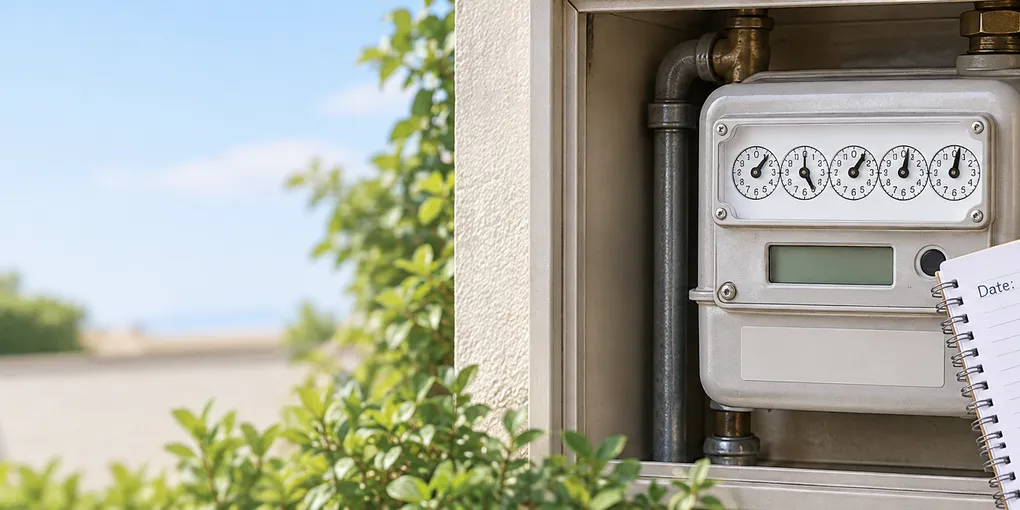
Hero image: original conceptual illustration generated for Lejnel.com; it shows a closed meter and a recording notebook and is not a photograph of a tested installation.
Take it with you
- Download the gas meter reading log
A plain-text log for dated readings, meter type, unit, supplier submission and comparison notes.
Sources
Frequently Asked Questions
Which numbers do I send from a gas meter?
Usually you send the main whole-unit digits from the correct register, read from left to right, including leading zeros. Red digits and digits after a decimal point are often excluded, but the exact number of digits depends on whether the meter is metric, imperial, digital, dial, smart, or prepayment. Use your supplier's instructions when they differ.
Do I need to read a smart gas meter?
A working smart meter normally sends readings automatically, but a manual check can still help when you are moving supplier, checking an estimated bill, or troubleshooting a communication problem. Use the supplier's named register or in-home display and do not assume the first screen is the billable reading.
What if the meter reading looks wrong?
Photograph the display for your records, check the meter serial number against your bill, and compare the current reading with the previous one. If the serial number, register, digits, or submission form do not make sense, stop and contact the supplier. Do not remove seals or open the meter casing.