Quick answer
To read an electricity meter, first confirm that it belongs to your home, then identify whether it has a digital, smart, dual-rate, or dial display. Record the correct import register in kWh, ignore red or decimal digits when your meter guide says to, and save the date with the reading. Do not open the meter or handle wiring; use your supplier's instructions when the display or labels differ.
Reading an electricity meter is a recording task, not an electrical repair. You should be able to use the normal display or buttons without removing a cover, touching wiring, or changing any setting. The safest useful routine is: identify the right meter, identify the right register, write down the reading with the date, and then submit or compare it using your supplier’s instructions.
1. Confirm the meter before you record anything
If you live in an apartment, duplex, or building with several meters, start with the meter’s serial number. Compare it with the number on your bill or supplier account. A correct-looking number from the wrong meter is still a wrong reading.
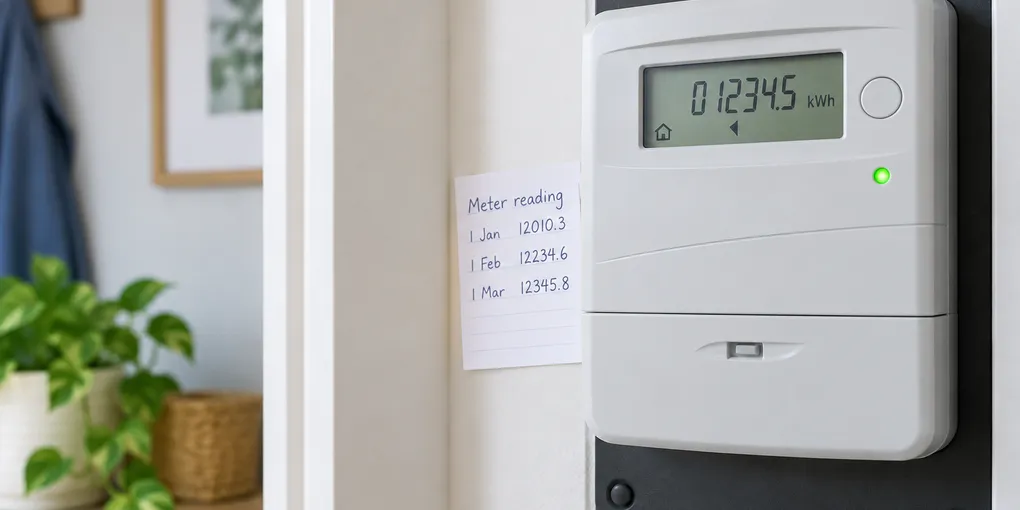
Also note the date and time. A simple record such as 19 September — 12,345 kWh makes the next comparison much more useful. The AGL meter guide recommends checking the meter identity before reading it, while Citizens Advice explains that missing readings can lead a supplier to estimate usage.
Do not open the meter enclosure or attempt to repair, bypass, or rewire anything. If the casing is damaged, there is a burning smell, water is entering the area, or the display is unsafe to approach, leave it alone and contact the supplier or a qualified electrician.
2. Identify the display type
Use the closest match below. The labels vary by country, supplier, and meter model, so treat this as a way to choose the next question—not as a universal button code.
| What you see | What to record | Common trap |
|---|---|---|
| One row of digital numbers ending in kWh | The main usage/import digits | Including red or decimal digits when the guide says to ignore them |
| Two rows or Rate 1/Rate 2 | Both usage registers, clearly labeled | Sending only the cheaper or night-rate number |
| One screen that cycles | Each required register as it appears | Recording a demand, export, or balance screen |
| Five or more moving dials | The dials from left to right using the meter’s rules | Reading every dial in the same direction |
| Smart meter with buttons | The screen labeled usage, import, or total active import | Assuming the first screen is always the billable reading |
Smart meters often send readings automatically, but a manual reading can still be needed when switching supplier, checking an estimate, or submitting an export reading. The Octopus Energy guide shows why the exact buttons and labels differ between models.
3. Read a digital or smart meter
For a simple single-rate display, look for the number followed by kWh. Record the digits from left to right. Many consumer guides tell readers to ignore red digits or the digits after a decimal point, but check your supplier’s instructions before applying that rule.
For a two-rate meter, record both readings. Write them as Rate 1 and Rate 2, or use the labels shown on the display. Do not guess which one is “day” or “night” from its position alone; your tariff or meter label is the better reference.
For a smart meter, press only the normal display button if the screen is asleep, then cycle through the screens described by your supplier. Look for labels such as import, total active import, or kWh. Avoid screens labeled export, generation, demand, voltage, or balance unless you specifically need that separate figure.
Worked example: turning two readings into usage
Suppose your note from last month says 12,345.8 kWh and today’s display says 12,987.2 kWh. If your supplier wants the whole-number import reading, record today’s meter reading as 12,987. To estimate the energy used between the two readings, subtract the earlier whole-number reading:
12,987 current reading
-12,345 previous reading
=   642 kWh used
This is a reading comparison, not a bill prediction. A bill may use different dates, estimated readings, export credits, fixed charges, or tariff rules. For how those numbers appear on a statement, see how to read an electricity bill.
4. Read a dial meter carefully
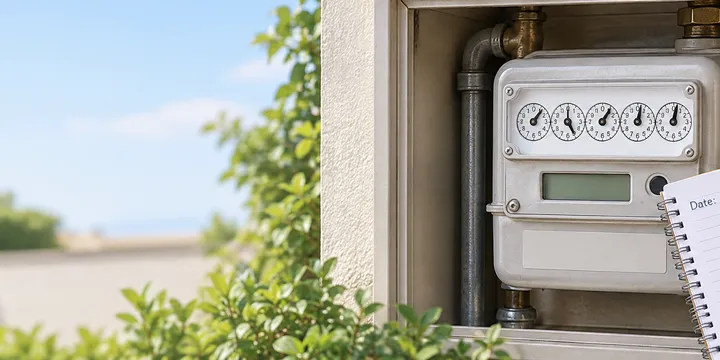
Dial meters need more attention than a digital display:
- Read the first five relevant dials from left to right, leaving out any red or fractional dial your guide excludes.
- Check the direction of each dial. Adjacent dials can turn in opposite directions.
- If a pointer is between two numbers, write down the lower number.
- If a pointer is directly over a number, check the next dial before finalizing it; the next pointer can change which number counts.
The Citizens Advice examples illustrate both the lower-number rule and the adjustment needed when a pointer appears exactly on a number. If the pointers are hard to see, take a clear photo for your own record, then use the supplier’s guidance rather than guessing.
5. Submit and compare the reading
Before sending a reading, check three things:
- The serial number matches your account.
- You recorded the import or usage register, not an export or generation register.
- You kept both rates if the meter has a dual-rate tariff.
Submit through the supplier’s official app, website, or phone number. If the supplier’s screen asks for a different number of digits, follow that form’s instructions. Keep your dated note or photo so you can explain a later correction.
To compare household use, subtract the previous reading from the current reading and compare similar date ranges. A sudden change can reflect a longer interval, a new heating or cooling pattern, or an estimated-to-actual correction. The site’s guide to lowering a home energy bill is a useful next step once you have a few dated readings rather than one isolated number.
When the reading does not make sense
Stop and ask the supplier for help when the serial number does not match, the display shows an unfamiliar register, the meter is locked behind an unsafe area, or the reading is rejected by the submission form. Do not remove seals, open covers, or try to make the display show a different value.
If you are checking for a suspected water leak, use the separate water-meter leak check rather than interpreting an electricity meter. If you smell burning, see damage, or believe the meter or wiring is dangerous, keep clear and use the emergency contact route supplied for your property.
The goal is a reliable record: the right meter, the right kWh register, the right date, and a clear note of any second rate. When those four pieces are present, you have enough information to submit a reading or ask a focused question without turning a simple check into electrical work.
Hero image: original conceptual illustration generated for Lejnel.com; it shows a normal closed meter display and is not a photograph of a tested installation.
Sources
Frequently Asked Questions
What unit should an electricity meter show?
Household electricity use is normally recorded in kilowatt-hours, written as kWh. A meter can show other screens or registers, so confirm that you are recording the import or usage register rather than a demand, export, or balance screen.
Should I include the red digits on my meter?
Often no, but follow the guide for your exact meter and supplier. Consumer guidance commonly tells readers to record the main digits and ignore red or decimal digits, while some smart displays use different labels.
What if I cannot tell which meter is mine?
Compare the meter serial number with your bill or supplier account before submitting a reading. If it does not match or the display is unfamiliar, stop and ask the supplier for help.