Quick answer
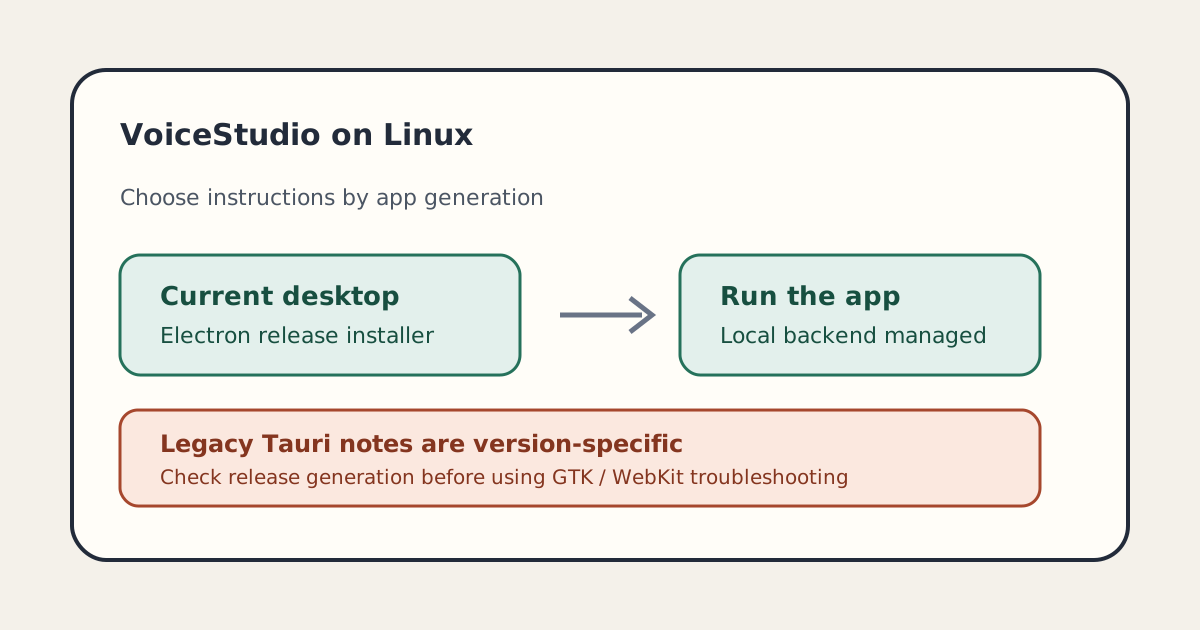
For the current VoiceStudio desktop app on Linux, start with the repository's installer: `curl -fsSL https://voicestudio.sh/install | sh`. It installs the latest published Electron release and verifies release downloads with SHA-256. Use the longer Bun setup only if you intend to build the current source. Much of the detailed Linux troubleshooting page is explicitly for the archived Tauri app, so check the heading and release generation before applying old AppImage fixes.
If you want the current VoiceStudio desktop app on Linux, use the project’s one-command installer for its latest published Electron release: curl -fsSL https://voicestudio.sh/install | sh. This guide is for Linux users deciding between that release and a source build. It also explains why older search results about Tauri AppImages can send you down the wrong troubleshooting path. The repository was on GitHub Trending on September 28, 2026; the popularity snapshot is not a quality or compatibility guarantee.
Pick the install route that matches your goal
| Your goal | Route | What it means |
|---|---|---|
| Try the published Linux desktop app | Current installer below | Fetches the latest Electron release and verifies its checksum |
| Install a specific published release | Installer with --version X.Y.Z |
Pins the requested version; choose a release that provides Electron packages |
| Develop or modify the current desktop app | Electron source setup | Requires Bun and the Python API setup; current docs also describe building local installers |
Follow a guide that mentions GTK, WebKitGTK, Rust, or bun tauri |
Stop and check its heading | Those detailed steps on the Linux page are labeled legacy Tauri instructions |
This is the most important version check. VoiceStudio’s Electron guide says Electron is the maintained desktop app and Tauri is archived at v0.5.3. The long troubleshooting section in the Linux document is explicitly scoped to the sunset Tauri application and existing Tauri installers. Its technical details can still help someone maintaining an old install, but they are not a generic prerequisite list for the current Electron package.
The project describes VoiceStudio as a local desktop application for voice cloning, voice design, dubbing, dictation, transcription, and audiobook work. Its Electron setup notes say the shell supervises a local FastAPI backend. Optional network integrations and remote workers are separately configured; local generation runs on the machine. That describes the architecture, not a guarantee that every engine, model, or feature works offline or on every Linux system.
Install the current published Electron release
The repository’s current Linux guide points readers to its installer. The command below requests the latest release; if you prefer to inspect or pin a version, the project documents a --version option. Read the current installer guide and release notes before running installation commands, especially on a system with an older Tauri installation.
curl -fsSL https://voicestudio.sh/install | shThe project says release downloads need curl and a SHA-256 tool. Its release installation preserves settings, projects, and models when upgrading. The v0.5.6 release page lists Linux x64 AppImage and .deb installers for that release and instructs existing Electron users to install over the app. A moving latest endpoint can point to a different version later, so check the release page on the day you install rather than assuming this version remains current.
If you want a particular published release, the documented pattern is:
curl -fsSL https://voicestudio.sh/install | sh -s -- --version X.Y.ZReplace X.Y.Z with a version whose release assets include Linux Electron packages. The project’s installer documentation says older versions must contain Electron packages; it does not fall back to archived Tauri builds. Do not select a release only because an old forum post links it.
Build from source only when you need to
The Electron project README gives this development flow from the repository root:
bun install
bun run setup:api
bun run dev
The first command installs JavaScript dependencies, the second prepares Python dependencies for the local API, and the third starts the development desktop app. For a local production-style build, the Linux installation page documents bun run desktop-prod; bun run dist creates local installers without publishing them.
Building the current main branch through the convenience installer has more prerequisites than installing a release: the repository lists Git, Node.js 22 or newer, Bun, Rust/Cargo, and platform build tools. Avoid building from source just to bypass a stale Tauri error message: first verify that you are actually trying to run the current Electron app and that you downloaded its current release package.
Diagnose errors by generation, not by copying flags
Use this quick sequence before changing system libraries or launch variables:
- Identify the app generation. Check the release and installer name. Electron is current; Tauri v0.5.3 is the final Tauri release according to the migration notes.
- Use matching documentation. The Linux page separates its current Electron setup from legacy Tauri installation and troubleshooting. Keep that distinction when copying a command.
- For a current Electron installer, consult its release and current install guide. The detailed WebKitGTK, EGL, GStreamer, and glibc troubleshooting paragraphs in the Linux document describe the Tauri AppImage generation. Do not apply those variables blindly to Electron.
- For an existing Tauri installation, back up first. The v0.5.6 migration notes say to close the app, back up its data directory, install Electron, and verify that voices and projects are present before removing Tauri. Do not assume the Tauri updater can install Electron.
A useful failure report includes the release number, installer type, Linux distribution, graphics stack, exact command, and the first relevant error lines. Those facts let maintainers distinguish a current package problem from a historical WebKit issue. If a current Electron release fails, use its linked documentation or issue tracker rather than a legacy workaround whose assumptions may not match.
Check licenses and voice permissions separately
The VoiceStudio repository identifies its code license as AGPL-3.0. That is not the same as permission to use every model, voice sample, dataset, or downloadable weight in any way you choose. The repository’s own notices distinguish software licensing from model terms, so check the license attached to the specific model and any source recording before production or redistribution. Use voice cloning only with appropriate permission from the person whose voice is being cloned.
VoiceStudio also has a companion package named voicestudio-cli. It is a separate Python wrapper that talks to an installed desktop app and has its own PyPI page and MIT license. It is optional; do not install it as though it were the Linux desktop app. The project’s CLI notes state Python 3.11+ and a working VoiceStudio desktop installation are requirements.
For other local-first software choices, see our guide to building a personal knowledge base and our Linux offline document archive guide. Those solve separate storage problems, but both benefit from deciding what stays local and what is shared before importing personal material.
A compact first-run checklist
Before you start, confirm you are using the current Electron release instructions, have enough free disk space for the app and whichever models you choose, and understand where the project stores user data. After installation, launch the app and verify that the local backend reaches a ready state before importing a real recording or project. Start with a short, permission-cleared sample and test one workflow at a time: text-to-speech, transcription, or voice design. Then review the resulting audio and output location yourself.
The downloadable checklist below captures those checks and the generation-specific troubleshooting warning. It is a planning aid, not a compatibility certification or proof that installation was tested on your distribution. This article summarizes the current documentation; it does not claim a hands-on Linux installation test.
Sources and status
debpalash/VoiceStudio appeared on GitHub’s daily Trending page on September 28, 2026. Its repository is presented under AGPL-3.0, while model and asset terms may differ. The current Linux docs, Electron README, v0.5.6 release notes, and license are linked above. Verify them again before installing because release assets, commands, and platform support can change.
Hero image: Original conceptual SVG made for this article; it illustrates the Electron-versus-legacy-Tauri decision and contains no software screenshot.
Take it with you
- Download the Linux install preflight checklist
A short checklist for choosing the current install route and separating Electron from legacy Tauri advice.