GitHub Trending: Diagram Design for Cleaner AI-Generated Diagrams
Quick answer
Diagram Design is an MIT-licensed repository that helps AI coding tools create self-contained HTML and SVG diagrams. It provides 39 diagram types, static light, dark, and editorial variants, plus installation paths for several agent hosts.
cathrynlavery/diagram-design appeared on GitHub’s daily trending list when checked on September 7, 2026. The public GitHub repository API reported 32,712 stars, 2,093 forks, and HTML as its primary language at that time. Those figures describe a moment of attention rather than a quality guarantee, but the project solves a familiar problem: an AI assistant can explain a system clearly in words yet produce a generic diagram when asked to draw it.
Diagram Design is a repository of reusable instructions and assets for making diagrams that look more like an editorial graphic than a default flowchart. Its stated output is self-contained HTML plus SVG. That matters in documentation sites and repositories because the diagram can be opened locally, reviewed in a browser, and committed alongside the text without a separate design tool or hosted asset.
What the project includes
The current README documents 39 diagram types. They cover common engineering formats such as architecture views, flowcharts, sequence diagrams, state machines, entity-relationship models, timelines, swimlanes, dependency graphs, deployment diagrams, UML class diagrams, and database schemas. It also includes formats for communicating a decision or a plan, including quadrants, pyramids, Kanban boards, user journeys, fishbone diagrams, and Wardley maps.
Each shipped type has three static variants: minimal light, minimal dark, and full editorial. The repository says these variants have no build step, JavaScript, or external image dependency. That is a useful constraint for a team that wants diagrams to remain readable in pull requests, generated documentation, or an offline checkout.
The project is not a general drawing application. It gives an AI coding host a constrained visual vocabulary and rules for selecting a layout. Its README describes semantic patterns separately from diagram layouts, so an agent can represent a queue, a policy trace, or a trust boundary without inventing a brand-new diagram type for every prompt.
Why constraints can improve AI diagrams
A diagram request is often underspecified: “show the architecture” might need components and connections, a timeline, a dependency graph, or a sequence of messages. If the agent has no guidance, it may choose rounded boxes, too many colors, and labels that are difficult to scan.
Diagram Design makes stronger default choices. The README emphasizes sparse density, limited accent-color use, and removing nodes that do not earn their place. These are design preferences rather than universal laws, but they create a useful review checklist:
- Choose the question first. Use a sequence diagram for messages over time, a dependency graph for relationships, or a flowchart for decisions. Do not force every problem into an architecture picture.
- Name the audience. A reader deciding where a request goes needs less detail than an engineer diagnosing a production path.
- Keep labels short. Put supporting explanation in nearby prose instead of turning each node into a paragraph.
- Use visual emphasis deliberately. Reserve a stronger colour or heavier treatment for the decision, risk, or component the reader should notice first.
- Review the exported file. An AI-generated SVG is still an artifact to check for clipped text, misleading arrows, inaccessible contrast, and omitted failure paths.
The project can also redraw draw.io or Mermaid material into a selected format, size, and detail level. That could help when a team has an accurate but visually inconsistent source diagram. It does not automatically validate the underlying system model: changing the visual treatment cannot correct a missing service, false dependency, or outdated security boundary.
Install it for one host, then test it on a real task
The repository provides host-specific installation instructions. For example, its documented Claude Code commands are:
/plugin marketplace add cathrynlavery/diagram-design
/plugin install diagram-design@diagram-design
For Codex, the README documents:
codex plugin marketplace add cathrynlavery/diagram-design
codex plugin add diagram-design@diagram-design
It also documents paths for Factory Droid, Pi, Kiro, and OpenCode. Update behavior varies: some hosts refresh Git marketplaces at startup, while a copied directory needs replacing from a newer checkout. Follow the instructions for the actual host rather than applying a command intended for another one.
A sensible first test is a small diagram that already has a written source of truth: a deployment path, request flow, data model, or handoff process. Ask the agent to choose one named diagram type, generate a static file, and compare it with the existing explanation. Check whether a reader can answer the intended question faster, not merely whether the illustration looks polished.
Current project signal
The repository has no published GitHub Releases in the public API response retrieved for this article. Its default branch was updated on September 7, 2026. The latest commit at the time of checking, 2724fd2, updates plugin manifests to version 2.6.17. The preceding feature commit adds a traceable block-decomposition pattern, including block identifiers and an optional registry export described in the commit message.
That is a useful reminder for production use: a Git marketplace plugin can move more quickly than a tagged release. Pin or review the version you adopt where your host supports it, inspect a sample output after an update, and keep diagrams subject to ordinary technical review.
Diagram Design is worth considering when your documentation needs diagrams often enough that consistency matters, but not so much that every change should go through a separate design workflow. It supplies a disciplined starting point; the team still supplies the correct system model and the final editorial judgment. For another trending project that packages reusable AI coding workflows, see ECC.
Sources
- GitHub daily trending repositories
- Diagram Design repository
- Diagram Design README
- GitHub repository metadata API response
- Latest checked commit: plugin manifests 2.6.17
- Diagram Design MIT license
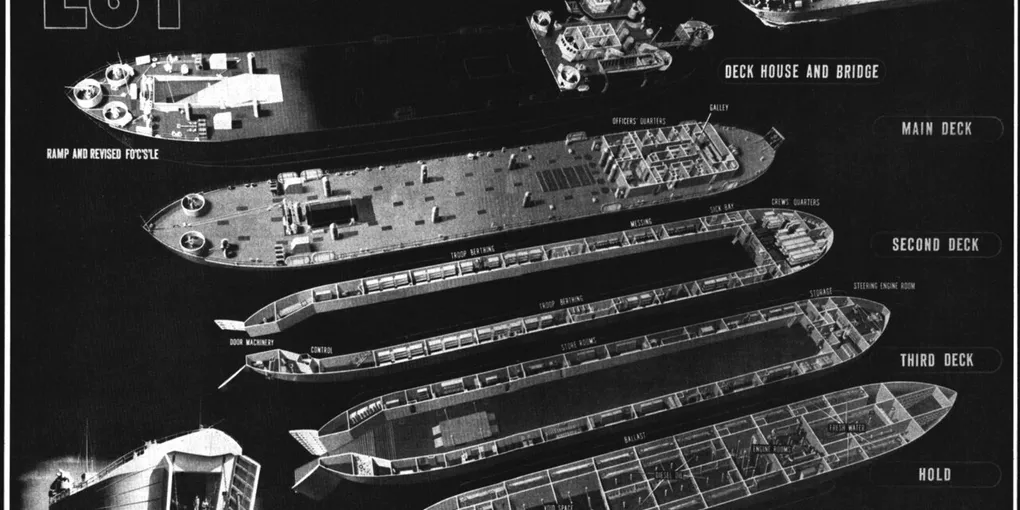
Hero image: USN, Public domain, via Wikimedia Commons.
Frequently Asked Questions
What is Diagram Design?
Diagram Design is an open-source skill and plugin for creating editorial-style HTML and SVG diagrams with AI coding tools. The repository documents 39 diagram types, including architecture, flowchart, sequence, timeline, Kanban, database schema, and more.
Which AI coding tools support Diagram Design?
The project documents installation or use with Claude Code, Codex, Factory Droid, Pi, Kiro, and OpenCode. Support and update mechanics differ by host, so use the repository instructions for the host you use.
Does Diagram Design need Figma, Mermaid, or a build step?
No. The README says its diagrams are self-contained HTML and SVG, with no JavaScript, external image dependency, or build step for the shipped static variants.
Can Diagram Design be used commercially?
The repository is MIT licensed. That license permits commercial use, modification, and distribution, subject to including the copyright and license notice. Check the repository and its dependencies for your specific use case.