Quick answer
Scientific Agent Skills is an MIT-licensed collection of 163 documented skills that helps compatible AI agents work with scientific packages, databases, and research workflows. Start with `npx skills add K-Dense-AI/scientific-agent-skills`, then install only the dependencies and API access required by the skill you want to use.
Scientific Agent Skills (K-Dense-AI/scientific-agent-skills) is #3 on GitHub’s daily trending list today. The Python repository had 38,163 stars and 3,593 forks when checked on August 30, 2026, and its latest release is v2.65.0, published on August 29. Its pitch is broad but concrete: give an AI agent documented procedures for scientific software, databases, and research workflows instead of asking a general model to improvise every integration from scratch.
The collection is maintained by K-Dense and is licensed at repository level under the MIT License. The README currently lists 163 skills, more than 100 databases and data-access resources, and compatibility with Cursor, Claude Code, Codex, Google Antigravity, and other hosts that support the open Agent Skills standard. It is an unusually large project, so the important question is not whether it contains a lot. It is whether you can select the small part that matches your work.
1. What the repository adds to an AI agent
A skill is a focused set of instructions, examples, references, and sometimes scripts that tells an agent how to approach a task in a particular domain. Scientific Agent Skills packages those instructions in a predictable SKILL.md layout. The model still writes the code and makes decisions, but it starts with documented conventions: which library or endpoint to use, what inputs matter, how to validate an output, and where the boundaries are.
That distinction matters in science. A plausible-looking answer is not the same as a reproducible workflow. A good skill can make data provenance, version assumptions, citations, and validation part of the task rather than an afterthought. The repository also says that examples should be tested and that skills carrying scripts need a test suite, although you should still verify results in your own environment.
2. Five useful parts of the collection
Scientific and financial data access. The unified database-lookup skill provides deterministic access patterns for 78 public databases, while dedicated skills and multi-database packages expand the overall collection past 100 data sources. The README names resources such as PubChem, ChEMBL, UniProt, COSMIC, ClinicalTrials.gov, FRED, and the U.S. Treasury Fiscal Data API. That can save an agent from treating every database as an unrelated one-off HTTP request.
Python package guidance. More than 70 skills cover packages and technical ecosystems including RDKit, Scanpy, scikit-learn, PyTorch Lightning, GeoPandas, BioPython, Qiskit, OpenMM, MDAnalysis, pydicom, and pymatgen. The value is not that an agent cannot use these libraries without help; it is that the skill provides a version-aware starting point and examples for the package’s common scientific use cases.
Research communication. The collection includes literature review, evidence-traceable writing, peer review for authorized work, citation management, document processing, scientific slides, posters, schematics, and infographics. These are useful at the messy edges of research, where collecting sources and preserving the chain from evidence to prose can take as much time as writing the final paragraph.
Platform integrations. The README lists integrations for services and laboratory tools such as Benchling, DNAnexus, LatchBio, OMERO, Protocols.io, Open Notebook, Ginkgo Cloud Lab, LabArchives, and Opentrons. These are not interchangeable plug-ins: each one has its own credentials, permissions, data model, and operational risks. Treat the skill as a documented starting point, not proof that your account or lab setup is ready.
A portable package format. Alongside ordinary Agent Skills folders, the repository contains a root plugin.json and an skills/ directory so plugin-capable clients can load the collection as one Agent Plugins package. That makes the project more portable than a set of notes tied to one assistant. In practice, host support and installation paths vary, so check the current instructions for the agent you use.
3. Why it is trending now
The timing is easy to verify. Release v2.65.0 was published on August 29 and records a move from 161 to 163 skills. Its changelog also mentions repaired Stable-Baselines3 API links, corrected Rowan examples for SDK 3.1.13, documentation updates, and a tutorials table in the README. Those are maintenance details rather than a single flashy feature, but they show the repository is still being expanded and checked while it grows.
The other reason is compatibility. The project recently repositioned itself from “Claude Scientific Skills” to “Scientific Agent Skills,” explicitly widening the audience to any agent that supports the open standard. That is a practical response to a fragmented AI-tool market: keep the workflow instructions portable, then let the host decide how to discover and run them.
4. How to try it without installing everything
The simplest supported-host path from the README is:
npx skills add K-Dense-AI/scientific-agent-skillsDo not assume that command means every scientific dependency is now installed. The repository recommends installing only what the selected skill needs. Choose one narrow task first — for example, a package skill for a library already used in your project — and read its SKILL.md, references, and scripts before asking your agent to run it.
For a reproducible setup, pin a release where your host supports it:
gh skill install K-Dense-AI/scientific-agent-skills --pin v2.65.0You may need Python packages, system tools, network access, or API keys depending on the skill. Keep credentials outside the repository and set provider-side limits before testing paid services. A local checkout is also possible if your host discovers skills from a configured .agents/skills/ directory.
5. Who should use it?
It is aimed at researchers, computational biologists, chemistry and materials teams, data scientists, and engineers building agents for technical work. It is also useful for an AI developer who wants a reusable research workflow rather than a collection of ad hoc prompts. If you are new to running local agents, our Hermes Agent guide explains the wider setup choices; the personal knowledge base guide covers a complementary way to preserve notes, sources, and reusable context.
The project is not a replacement for a scientist, laboratory director, clinician, security review, or regulatory professional. Its own documentation draws boundaries around patient-specific healthcare, safety-critical decisions, compliance, certification, and accreditation. Some skills are explicitly research-only, and individual skill licenses can differ from the repository’s MIT license. Read the local metadata before using a skill in commercial or published work.
Bottom line
Scientific Agent Skills is trending because it tackles a real weakness in general-purpose AI agents: knowing how to perform a specialized workflow safely and repeatably. Its size can feel intimidating, but you do not need all 163 skills. Start with one, pin the version, inspect the scripts, provide only the permissions it needs, and verify the result against primary sources and your own data.
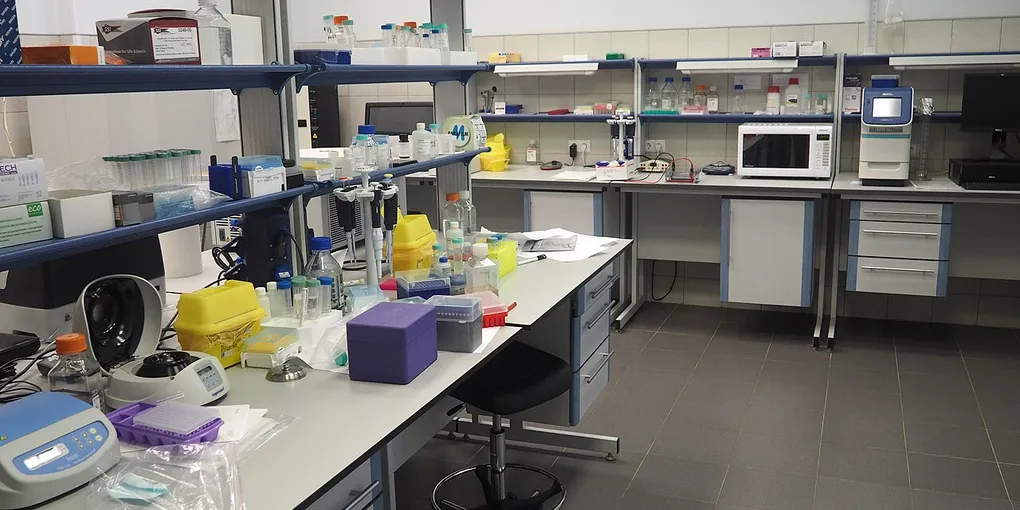
Hero image: Scotted400, CC0, via Wikimedia Commons.
Frequently Asked Questions
What is Scientific Agent Skills?
It is an open-source collection of 163 documented skills for AI agents, covering scientific packages, databases, integrations, analysis, and research communication. It follows the open Agent Skills standard and is also packaged as an Agent Plugins package.
Is Scientific Agent Skills free to use?
The repository is MIT licensed, so the collection itself can be used commercially and non-commercially. The README notes that individual skills can have their own license metadata, and some workflows may also need paid APIs or packages.
How do I install Scientific Agent Skills?
On a supported host, run `npx skills add K-Dense-AI/scientific-agent-skills`. You can also use `gh skill install K-Dense-AI/scientific-agent-skills`, or install a pinned release such as v2.65.0 where your host supports that command.
Can these skills make medical or regulatory decisions?
No. The repository frames healthcare, clinical, and regulatory capabilities as research or evidence-preparation tools, not diagnosis, treatment, certification, accreditation, compliance, or method-release decisions. Qualified human review remains necessary.