Quick answer
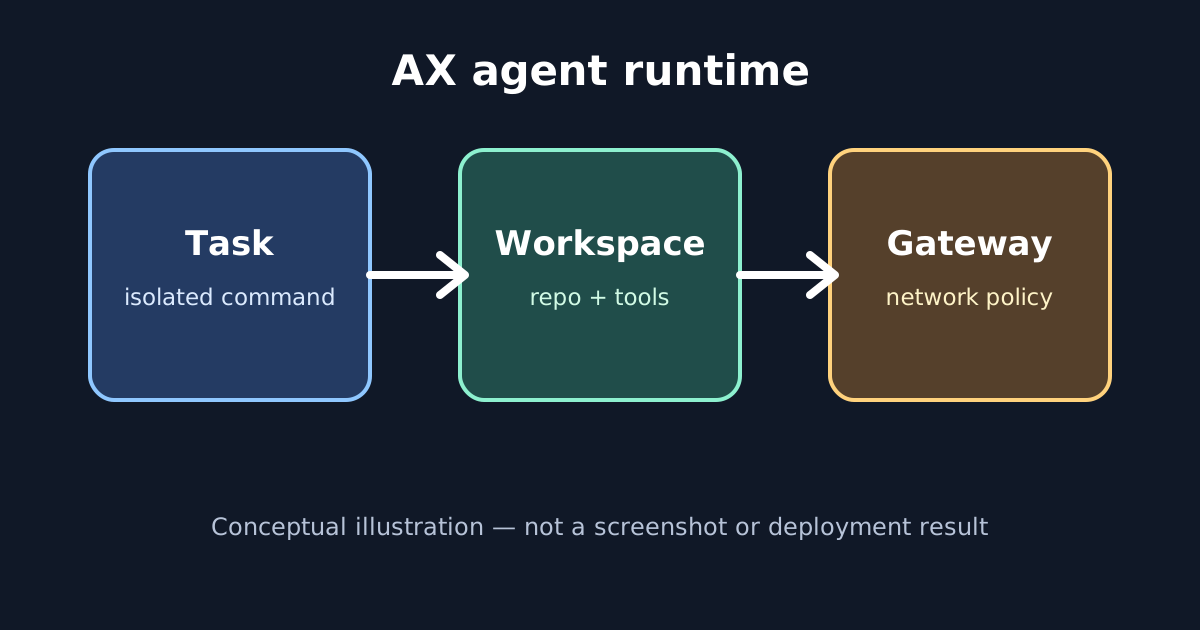
Google AX is an early, Kubernetes-based runtime for isolated autonomous-agent tasks. A Task runs a command with resource limits, a Workspace prepares repositories and tools, a Gateway restricts network access, and a Model holds provider settings. It is worth evaluating for platform teams, but its own README warns that breaking changes are likely before a stable release.
Google AX is a new open-source runtime for teams that want autonomous agents to run as controlled cluster workloads. It appeared on GitHub’s daily Trending list on September 23, 2026. The repository is google/ax, and its documented license is Apache-2.0. The practical idea is familiar to Kubernetes users: describe a workload declaratively, prepare its environment separately, fence its network, and observe its lifecycle.
The important qualification is maturity. AX’s README says its concepts, protocols and specifications are still being refined and may change substantially before a stable release. Treat this as an evaluation guide for platform engineers, not as a promise that you can install a polished desktop agent in five minutes.
What AX actually adds
AX is built around four resources:
| Resource | Job | Question to ask |
|---|---|---|
Task |
Runs an isolated command with an image and resource limits | What may this agent execute? |
Workspace |
Prepares repositories, MCP servers and skills | What does it receive before starting? |
Gateway |
Defines listeners and allowed outbound hosts | Where may it connect? |
Model |
Stores provider and model configuration | Which credentials and model are used? |
That separation is the useful design decision. A task is not forced to rebuild its entire environment every time. A workspace can be reused, while a gateway makes the network policy visible in the same declarative system. AX’s concepts documentation also describes tasks as disposable units that can be suspended, resumed or deleted as their work changes.
Who should try it
AX fits a team already comfortable with Kubernetes, container images, registries and secrets. The README’s setup requires a Kubernetes cluster, ko, a registry that the cluster can pull from, and a reachable Agent Substrate Control API. The initial deployment builds and installs control-plane components rather than connecting to a hosted service.
That requirement rules out several tempting use cases. It is not the simplest way to run one coding agent on a laptop. It is also not evidence that an agent is safe merely because a YAML file calls something a sandbox. Cluster permissions, container images, credentials, egress rules and the Agent Substrate layer remain part of the security boundary.
A small first experiment
Start with a disposable cluster and a repository that contains no secrets. Make the first task boring: list files, run a test suite, or produce a report in a temporary workspace. Keep the network allowlist narrow and use a test model credential.
The repository’s documented flow is:
go install github.com/google/ax/cmd/ax@latest
ax apply -f task.yaml
ax watch task task123
ax ssh task123 -- ls -al /workspace
The manifest can bind a Git-backed workspace and give it a preparation goal such as installing dependencies and running tests. ax watch helps you distinguish a task that is running from one whose workspace or gateway is not ready. Debug access is optional; leave it off until you have a reason to inspect the sandbox interactively.
Do not point the first experiment at a production checkout. A workspace goal can cause setup actions, and the task command can execute arbitrary code permitted by its image and permissions. Review the image, pin revisions where practical, and record the exact egress policy before allowing an agent to work on valuable data.
If the task does not become ready, troubleshoot the layers in order rather than changing everything at once. A missing WorkspaceReady condition points to repository access, image setup or the workspace goal. A missing GatewayReady condition points to the network policy or its controller. A task that is ready but produces a poor result is a different problem: inspect the container command, model configuration and task logs. This distinction is useful because “the agent failed” can otherwise hide three separate infrastructure failures.
Keep a small evaluation record for each run: the commit or image digest, the workspace goal, the allowed hosts, the model identifier, the task resource limits and the final artifact. That record makes a later result comparable and helps you remove temporary permissions. It also prevents a successful demo from becoming an undocumented production dependency.
Think about cost as an operational limit, not just a model bill. A looping task can consume cluster CPU, memory, storage, model tokens and outbound-service quota at the same time. Start with modest requests and limits, add an explicit stop condition to the command, and test suspend and delete behaviour before allowing retries or fan-out. AX exposes lifecycle primitives; your platform policy still needs to decide who may create many tasks and how long idle work may remain.
The limits that matter
AX’s four-resource model makes several boundaries easier to review, but it does not remove operational responsibility. A Gateway can restrict outbound destinations, yet an allowed service may still receive sensitive data. A Model references a Kubernetes secret, yet the task’s own environment and logs still need review. A resource limit can contain consumption, yet it does not tell you whether the agent’s command is correct.
The project’s early status is another real limitation. Expect manifest or command changes and keep AX isolated from irreplaceable workloads while you evaluate it. For a production decision, compare its controller, runner, sandbox and credential assumptions with the controls your cluster already uses.
Bottom line
Google AX is interesting because it treats agent execution as a platform problem: reusable preparation, explicit network boundaries, observable lifecycle and suspendable tasks. That is more concrete than a prompt recipe, but it is also more infrastructure than most individual users need. Use a disposable Kubernetes environment to test one harmless task, verify what the workspace and gateway actually permit, and keep the project in the evaluation column until its APIs settle.
For broader context, our AI coding skills guide covers reusable agent instructions, while the home Wi-Fi security guide explains why network boundaries and device permissions deserve separate review.