How to Access Wordle: The Ultimate Universal Guide for Every Device
Quick answer
Play Wordle for free at nytimes.com/games/wordle in any browser, or in the New York Times Games app for iOS and Android. Sign in with a free NYT account to keep your streak and stats synced across devices — without an account, your streak lives only in that browser cookie.
Wordle has cemented itself as a global cultural phenomenon. What started as a simple, ad-free daily word game created by software engineer Josh Wardle for his partner has evolved into a global morning ritual for millions of players. When the game was acquired by The New York Times, its player base expanded exponentially. Today, “how to access Wordle” remains one of the most frequently searched phrases on the internet, as players look for the fastest, most stable, and most secure ways to maintain their daily guessing streaks.
While guessing a five-letter word in six attempts sounds straightforward, accessing the game efficiently across a fragmented multi-device landscape—ranging from desktop setups and Windows laptops to Android smartphones, iPhones, iPads, and macOS MacBooks—requires an understanding of browser cookies, tracking settings, and official application frameworks. If your daily access method isn’t properly configured, you risk losing your historical statistics and hard-earned streaks.
Whether you need a quick shortcut to the daily grid, a way to sync your game progress across multiple machines, or a method to play Wordle completely offline, this comprehensive master guide covers exactly how to access Wordle cleanly and securely on every major device and operating system.
2026 Status: What’s New
This guide was refreshed in August 2026. Three things are worth knowing since the original publication:
- Wordle now lives in three official places. Alongside the browser at nytimes.com/games/wordle and the NYT Games app, you can also play the daily puzzle inside the NYT News app on iOS and Android — useful if you already have the news app installed and want one less icon on your home screen.
- The Games app keeps growing. The app recently added the MIDI Crossword, a clever midsize word puzzle that slots in between The Mini and the full Sunday-size crossword. The same NYT account and stats system covers every game, including Wordle.
- WordleBot remains subscriber-only. The analysis tool that grades every guess is still reserved for Times Games, News or All Access subscribers — the game itself stays free. Everything else below still holds.
Five-Minute First-Access Checklist
If your goal is simply to start today’s puzzle without losing tomorrow’s progress, use this short setup before exploring the device-specific options below:
- Choose one official route. Open the Wordle page in your browser or the official NYT Games app. Avoid search ads, lookalike domains, and unofficial “Wordle” downloads.
- Play one test turn. Confirm that the five-by-six grid accepts your keyboard or on-screen input and that the color feedback is visible. If the page is only partly loaded, fix the connection before signing in.
- Protect the account link. Sign in or create a free NYT account before switching devices. An anonymous browser session can keep local progress in cookies, but clearing site data or using a private window can remove that local record.
- Add a shortcut only after testing. On desktop Chrome, Google’s documented route is More → Cast, save, and share → Install page as app. On Android, the browser menu’s Add to Home screen option creates a quick launcher. A shortcut is only an entry point; it does not replace account sign-in.
- Check the fallback. Open the shortcut once, then keep the browser route bookmarked. Chrome notes that web apps may work offline without every feature working fully, so do not rely on offline play for account sync or recovery.
This checklist separates three jobs that are often confused: reaching the puzzle, making the entry point convenient, and preserving statistics across devices. Solving those in that order makes troubleshooting much easier.
1. The Digital Infrastructure of Wordle
To ensure your daily gameplay is recorded accurately and to safeguard your progress, it is vital to understand the official digital channels maintained by The New York Times. Wordle’s official pathways fall into two main categories:
The Web Browser Interface: Direct entry via standard, secure web browsers using the official root domain (www.nytimes.com/games/wordle).
The Native Application Layer: Operating-system-specific software packages downloadable from official repositories like the Apple App Store and the Google Play Store (integrated into the NYT Games application).
Security & Progress Warning: Because Wordle drives massive daily search traffic, malicious actors frequently deploy fake clone apps or copycat domains packed with intrusive pop-up ads and hidden malware tracking scripts. Always ensure you are utilizing the official New York Times portal. Furthermore, your Wordle streak is tied natively to your browser’s local cache or your official NYT account login. Clearing your history or using private browsing windows without logging in will erase your streak permanently.
2. Accessing Wordle from a Desktop Computer or Laptop (Windows & Linux)
For players who enjoy solving the daily puzzle at their desk with a physical keyboard, a traditional desktop computer or laptop running Windows or Linux provides an exceptional layout. It offers complete keyboard control, a wide viewing area, and easy tab multi-tasking.
Method A: Web Browser Deployments (The Universal Standard)
The standard and most reliable way to experience Wordle on a traditional computer is through a modern, standards-compliant web browser.
- Launch Your Preferred Browser: Open an updated browser instance such as Google Chrome, Mozilla Firefox, Microsoft Edge, Brave, or Opera.
- Input the Secure URL: Click directly into the address bar at the top of your browser window, type https://www.nytimes.com/games/wordle, and press Enter on your physical keyboard.
- Initialize the Daily Grid: The signature minimalist grid will load instantly. A modal window outlining the basic rules (“Guess the Wordle in 6 tries”) will pop up on your screen. Click Play to dismiss it.
- Secure Your Streak (Recommended): Click the Log In or Create a Free Account button in the top-right corner of the Wordle header. By linking your daily game to a free New York Times profile, your streaks and statistics are backed up to the cloud. This ensures you won’t lose your progress if your browser cache is accidentally wiped.
Method B: Creating a Standalone Desktop Shortcut App (Progressive Web App)
If you play Wordle every single day and want to launch it outside of a standard browser tab—making it feel like a standalone application that sits right on your system taskbar—you can configure it as a Progressive Web App (PWA).
Google Chrome Workflow: Open your browser, navigate to the official Wordle page, and log in. Click the three vertical dots icon in the upper-right corner of the Chrome viewport. Select Save and share, then click Install page as app…. Confirm the setup in the pop-up window. Chrome will instantly drop a dedicated Wordle application shortcut icon onto your Windows Desktop or Linux app grid.
Microsoft Edge Workflow: Open the Wordle portal page. Click the horizontal ellipsis menu in the top-right control ribbon. Hover your cursor over Apps, and select Install this site as an app. Give it a clean title (e.g., “Wordle”) and click install to pin a direct launcher link to your system taskbar or desktop workspace.
Desktop System Optimization Matrix
To ensure your game boards render flawlessly and your stats sync instantly across active web servers, match your desktop configuration to the following parameters:
Parameter Minimum Requirement Recommended Configuration Browser Engine Chromium 105+ / Firefox 100+ Latest stable release with auto-update toggles enabled Cookie Preferences First-party tracking allowed Whitelist active session and local storage for nytimes.com Private Browsing Optional Disabled (Incognito modes completely block streak retention)
3. Accessing Wordle from an Apple Mac (MacBook Pro, MacBook Air, iMac)
Apple Mac computers running macOS provide a highly optimized environment for daily web gaming. While you won’t find a standalone “Wordle” desktop binary in the Mac App Store, accessing the puzzle is incredibly smooth when utilizing native system configurations.
Method A: Web Access via Safari
Safari is engineered specifically to maximize battery life and power efficiency on Apple Silicon chips (M1, M2, M3, M4 series or newer). This makes it the ideal browser for checking Wordle on a MacBook without rapidly draining your battery.
- Click on the Safari icon (the blue compass logo) located natively on your macOS Dock, or call it up instantly via Spotlight search by pressing Command + Space.
- Click into the unified Smart Search field positioned at the header of the viewport.
- Type nytimes.com/games/wordle and hit the Return key on your Mac keyboard.
Pin the Wordle Tab: Once the game page initializes and you log into your NYT profile, right-click the Wordle tab header at the top of the Safari window and select Pin Tab. This shrinks the page into a small, permanent button fixed to the far-left side of your tab bar. It stays active and loads immediately every single time you open your browser.
Method B: Turning Wordle into a Standalone Dock Web App (macOS Sonoma & Newer)
If your Mac is running macOS Sonoma or higher, Safari lets you turn any website into a standalone desktop application that sits permanently in your Dock workspace.
- Open Safari and navigate to https://www.nytimes.com/games/wordle.
- Click on File in the top macOS menu bar and select Add to Dock….
- Give it a clean name (e.g., “Wordle”) and click Add.
Safari will close the view and place a beautiful Wordle application icon directly onto your desktop Dock. Clicking it opens a clean, dedicated app window that operates independently from your standard browser loops, complete with its own forward/back navigation buttons.
4. Accessing Wordle from an iPhone (iOS)
Mobile phone access is the single most common path users take to run their daily word puzzle over a morning cup of coffee or during a daily commute. Apple’s iOS platform offers two highly reliable methods for reaching the grid.
Method A: The Official NYT Games App (The Immersive Experience)
The official NYT Games app for iOS brings Wordle together with a complete suite of word puzzles, including Connections, The Mini Crossword, and Spelling Bee, into a single mobile dashboard.
- Unlock your iPhone and open the native App Store application.
- Tap the Search icon (the magnifying glass symbol) in the lower-right corner of the navigation bar.
- Type “NYT Games” into the search field at the top and hit search.
- Locate the official app developed by The New York Times Company featuring a clean, minimalist black-and-white icon design.
- Tap the Get button (or the cloud download icon if you have deployed it previously under your iCloud profile). Authenticate the download using Face ID, Touch ID, or your personal Apple ID passcode.
Launch the app from your home screen, tap the Wordle banner, and log in to sync your cloud progress instantly.
Method B: Creating an iOS Home Screen Web Shortcut
If you prefer not to download additional standalone applications to save your iPhone’s local storage and preserve background battery life, mobile web browsers work beautifully and can mimic a native app interface.
- Launch Safari or Google Chrome from your iOS icon workspace.
- Type nytimes.com/games/wordle into the URL address bar positioned at the top or bottom of your view.
- Add a Direct Home Screen Icon: While viewing the Wordle grid in Safari, tap the iOS Share icon (the square box with an upward-pointing arrow). Scroll down the list of system commands and select Add to Home Screen. Give it a clean name like “Wordle” and tap confirm. iOS will drop a direct shortcut icon onto your main home screen, allowing you to access Wordle with a single tap without manually opening a browser next time.
5. Accessing Wordle from an iPad (iPadOS)
The wide display real estate of Apple’s iPad provides an exceptional puzzle-solving layout, sitting perfectly between the ultra-portability of a smartphone and the expansive workspace of a laptop computer.
Method A: The Universal iPadOS NYT Games Application
The New York Times maintains a universal tablet edition of its flagship games application that takes complete advantage of the tablet’s extra display space.
- Launch the App Store directly from your iPad screen panel.
- Perform a search query for “NYT Games” and tap install.
- Open the application bundle. The iPad edition features an expanded layout, positioning game metrics, stats trackers, and alternative word games cleanly across a wide, clear grid.
Hardware Keyboard Access: If your tablet device is docked into an Apple Magic Keyboard, Smart Keyboard Folio, or paired with external Bluetooth keyboard hardware, you can execute your letters and guess rows instantly by hitting the Return key on your physical board.
Method B: Desktop-Class Tablet Web Browsing
Since modern versions of iPadOS render complete desktop-class websites natively within Safari, you can bypass app store installations completely to view Wordle exactly as it appears on a laptop or desktop computer.
- Open Safari on your iPad screen.
- Input https://www.nytimes.com/games/wordle and execute the link.
This allows you to leverage iPadOS system layout mechanics, such as Split View or Stage Manager, allowing you to keep Wordle open on one half of the screen while taking notes, reading emails, or managing tasks on the other half.
6. Accessing Wordle from an Android Smartphone or Tablet
Google’s open-source Android platform runs across thousands of smartphone models built by various global manufacturers (Samsung Galaxy, Google Pixel, OnePlus, Xiaomi, Motorola, etc.). The NYT Games ecosystem matches Android’s frameworks perfectly.
Method A: The Google Play Store Application
- Locate and open the Google Play Store icon on your mobile device workspace or application drawer.
- Tap the central search field located at the very peak of the interface layout.
- Type “NYT Games” and click the search button on your on-screen soft keyboard.
- Confirm the software developer listing states The New York Times Company to filter out unofficial third-party copycat apps or ad-heavy clones.
- Tap the green Install button. Once the download finishes, select Open and complete the standard login profile routine to sync your tracking stats.
Method B: Creating an Android Home Screen Shortcut via Chrome
For players who want an app-like experience without dedicating system storage space to a full installation, Google Chrome for Android provides a fast home screen shortcut tool.
- Launch Google Chrome on your Android mobile device.
- Navigate to nytimes.com/games/wordle and log into your account dashboard.
- Tap the three vertical dots menu icon located in the top-right corner of the browser viewport interface.
- Scroll down the menu option ribbon and tap Add to Home screen.
- Confirm the title name in the prompt pop-up box. Android will drop a clean web app launcher icon onto your wallpaper grid, granting you instant, one-tap access to your daily puzzle grid.
7. Critical System Troubleshooting & Streak Recovery
Even when following the standard steps, cookie changes, local data sweeps, or application-level bugs can occasionally cause your Wordle screen to freeze, block account access, or threaten to wipe your hard-earned daily guessing streak. Review this technical resolution matrix to clear common faults:
Issue 1: Your Wordle Streak is Suddenly Reset to Zero
This is the most common issue encountered by players. It happens when the local storage or browser cookies containing your gameplay signature are modified or cleared.
Resolution: First, check if you were logged into your New York Times profile. If a browser update logged you out, simply clicking Log In in the top right corner and entering your free account details will instantly restore your statistics from the NYT cloud servers. If you were playing anonymously and cleared your browser cookies, the local progress data is unfortunately gone. To prevent this in the future, always make sure a free user profile is actively signed in across all your devices.
Issue 2: The Grid Freezes or Refuses to Accept Keyboard Letter Inputs
This typically points to an overloaded local browser cache, network connectivity drops, or background script conflicts.
Resolution: Clear your active browser state cache files specifically for the NYT domain. In Google Chrome or Microsoft Edge, use the universal key command Ctrl + Shift + Delete (or Command + Option + E on a Mac) to call up the privacy control center. Set the time range to “All Time,” check the boxes for Cookies and other site data and Cached images and files, then click Clear Data. Re-launch your browser, re-authenticate your profile, and the grid layout will be completely reset and responsive.
Issue 3: Discrepancies Between App and Browser Progress
If you solved the daily Wordle on your desktop computer at work, but opening your phone app later shows an empty board or a broken streak:
Resolution: This indicates a cloud synchronization lag. Close the app completely on your mobile device (swipe up from the bottom of your phone screen to access the multitasking view and flick the NYT Games app away). Ensure your device is connected to a stable cellular network or Wi-Fi channel, and re-launch the application. The software bundle will trigger a fresh handshake with the NYT data servers and pull your completed daily board down instantly.
8. Comprehensive Access Reference Directory
The configuration grid below organizes all optimal access vectors across modern consumer hardware options:
Target Platform Primary Access Portal System Advantage Key Shortcut / Tip Windows Workspace Web Browser (Chrome/Firefox) Full physical keyboard typing, large layout views Use Ctrl + D to save to your bookmarks bar Apple MacBook / Mac Safari Desktop Engine / Web App Standalone Dock app integration, high energy efficiency Turn the site into a standalone app via Safari File menu iPhone (iOS) NYT Games App Layer Cross-game access (Connections/Crossword), push summaries Turn on background app refresh for fast stat sync iPad (iPadOS) iPadOS Native Binary App Expansive tablet screen grid layout, split-screen multi-tasking Use Split View to solve the puzzle beside your morning routine Android Phone Play Store App Client Native system app optimization, quick home screen shortcuts Use Chrome’s “Add to Home screen” tool for fast setup Alternative Systems Smart Mobile Web Wrappers Glanceable access from alternative portable screens Avoid using Incognito tabs to keep your streak alive
9. Best Wordle Starting Words (and the Math Behind Them)
Once you can open the grid on every device, the next question players ask is the one that fills Reddit threads: what is the best word to start with? There is no single right answer, but there is a well-documented shortlist — and a simple principle behind it.
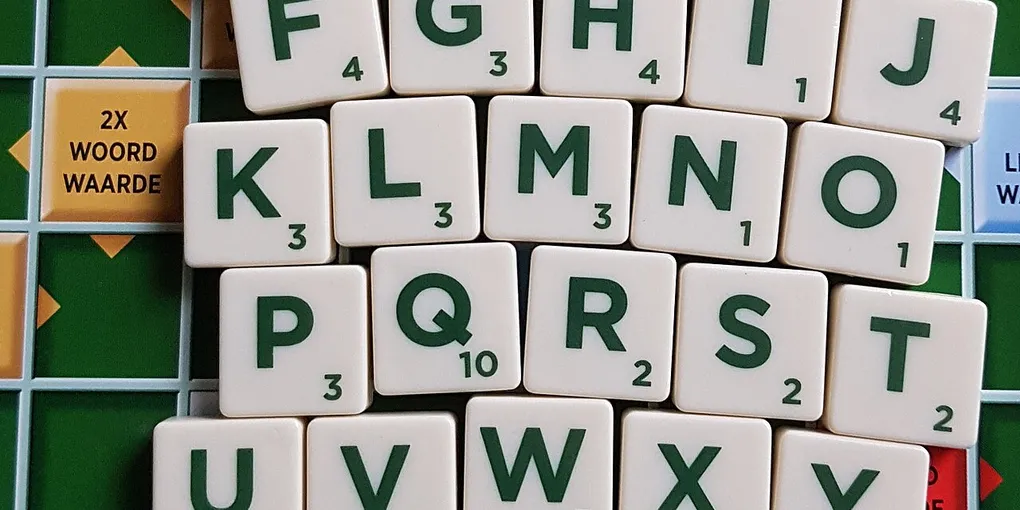
Start with common letters. Two or three of the frequent vowels (A, E, I, O, U) plus the strongest consonants (R, S, T, L, N) eliminate the most possibilities per guess. Rare letters (J, Q, X, Z) and duplicate letters waste information on your first move.
- CRANE — the opener made famous by Grant Sanderson’s information-theory analysis of Wordle (“Solving Wordle using information theory,” 2022), which ranked it near-optimal across the full answer list.
- SLATE — long favored as the benchmark opener in the New York Times’ own WordleBot analysis tool; S and E hit the two most common first and last letters, and it exposes one of the strongest vowel sets.
- SALET — tops several independent solver studies. It is an obscure word (a medieval helmet), which is exactly the point: the value is in the letters, not the meaning.
- TARES — another solver-study favorite that covers T, A, R, E and S — three of the most common letters plus a strong first/last-letter pair.
- SOARE — a long-time community staple for players who want two vowels plus S and R without committing to a rare consonant.
- ADIEU — the most popular casual opener, but its four vowels come with weak consonants; solver analyses rank it far below the list above.
Two practical notes. First, if you play in Hard Mode (revealed letters must be reused in place), some analyses argue openers like CRANE and SLATE are safer than words that can lock you into rhyming traps like the -IGHT or -OUND families. Second, the opening word is only the first move: every study agrees your second guess, built on the greens and yellows the opener earned, usually matters more. Pick one opener from the shortlist, use it consistently, and let the streak do the talking.
Conclusion
Accessing Wordle swiftly and securely across your entire hardware collection simply comes down to choosing the right channel and linking your progress to a unified profile. For intensive workspace environments or quick breaks at your desk, utilizing updated desktop web browsers or configuring clean Progressive Web Apps (PWAs) on your computer ensures a highly stable, keyboard-friendly setup.
When you are on the move, taking advantage of home screen web shortcuts or downloading the official native NYT Games application ensures that your daily five-letter word puzzle, visual tracking statistics, and hard-earned guessing streaks are backed up securely to the cloud and always just a single touch away. For a step-by-step walkthrough of signing in — phone, laptop or tablet — see the full guide on how to log into Wordle on any device. By applying the secure browsing habits, account syncs, and performance tips outlined in this master guide, you can maintain a lightning-fast, secure, and reliable connection to your morning puzzle routine across your entire device layout. Happy guessing!
Hero image: Valentijn Sessink, CC0, via Wikimedia Commons.
Frequently Asked Questions
What is the official Wordle URL?
https://www.nytimes.com/games/wordle by The New York Times. Beware of copycat domains using the same name — they are not the official game.
Is Wordle free to play?
Yes. Wordle is free in the browser and in the official NYT Games app for iOS and Android. Creating a free New York Times account is recommended so your streak and statistics are backed up to the cloud.
Why did my Wordle streak reset to zero?
You were most likely playing in a private window, or your browser cookies for nytimes.com were cleared while you were logged out. Sign in with a free NYT account before playing, and your streak is restored from the cloud on every device.
Does Wordle have a mobile app?
There is no standalone Wordle app, but the official NYT Games app for iOS and Android includes Wordle together with Connections, The Mini Crossword, and Spelling Bee.
What is the best starting word for Wordle?
The shortlist is CRANE, SLATE, SALET, TARES and SOARE — they use the most common letters, which eliminates the most possibilities per guess. CRANE topped the famous 3Blue1Brown information-theory analysis, while the New York Times WordleBot long favored SLATE. Avoid rare letters, duplicates and vowel-heavy openers like ADIEU.